TechSmith Audiate in US dollars
Audiate Pricing per Seat and Inside Camtasia Plans
What a standalone TechSmith Audiate seat costs, which Camtasia plans already include it, and what 1, 3, 5 or 10 narration editors pay a year, read from the US TechSmith store.
Standalone
$199.99
per user / year
In Essentials
$179.88
per year
In Create
$249
per year
Audiate cleans up the narration. When the lesson still needs a real world shot behind that voice, describe it in the panel and generate the clip. VideoMake makes footage only, it does not edit voiceover or write captions.
The short answer
TechSmith Audiate costs $199.99 per user per year as a standalone subscription in the US store, with no online volume discount and no monthly option. Audiate is also included in Camtasia Essentials at $179.88 a year, Create at $249 and Pro at $599, and each step up unlocks more Audiate features. For one person, a Camtasia plan is the cheaper way in. For a team on transferable Camtasia Business seats, Audiate is a second $199.99 per user on its own renewal date.
Prices read from the US TechSmith store checkout in October 2026, before sales tax. Visitors outside the US are shown euros or other currencies, which is why aggregator sites quote different numbers.
Every way to pay for Audiate in US dollars
There is one standalone product and four ways to get Audiate inside a Camtasia license. The Audiate features you get depend on which one you buy, so the price per seat only tells half the story.
Camtasia Audiate, standalone
$199.99
per user per year
Every Audiate feature, per the store card. Multi seat management, add seats any time. No Camtasia needed.
Teams on Camtasia Business, or anyone who only edits audio
Camtasia Essentials
$179.88
per year, one person
Text based editing, speech to text transcription, filler word and hesitation removal, advanced audio effects. Also Camtasia Editor and Snagit.
A single course or tutorial creator
Camtasia Create
$249
per year, one person
Everything in Essentials plus script generation from a prompt, script improvement, script import and AI voiceover with 200+ voices.
Creators replacing recorded narration with AI voices
Camtasia Pro
$599
per year, one person
Everything in Create plus script translation, audio dubbing and 49 stock avatars, with Screencast and the premium asset libraries.
Teams localizing courses into several languages
Camtasia Business
$198
per user per year, $188.10 from 10
The store lists Camtasia Editor and Snagit. TechSmith's help center adds the included Audiate core features in Editor 2025.0.3 or later.
Teams that need transferable seats
Education pricing
TechSmith does not show an education price for standalone Audiate. The Education tab covers Camtasia: educators at accredited institutions pay $162.36 per user a year ($152.46 from 10 seats) on a transferable license, and verified full time students in the US, UK and Canada pay about a quarter of the Essentials price through Student Beans.
Where Starter fits
Camtasia Starter costs $39 a year but watermarks Editor exports. The store comparison shows no Audiate features on Starter, while the help center lists Starter among plans with the included core features. Treat it as a capture plan, not a narration editing plan.
What Audiate costs a team of 1 to 10 editors
Seats times the US store price for one year, before tax. Individual Camtasia plans are sold one per person and tied to that person's email, so a team buys them one by one. Business seats are the only ones an admin can reassign.

| Editors | Standalone Audiate | Camtasia Essentials | Camtasia Create | Business plus Audiate | Camtasia Pro |
|---|---|---|---|---|---|
| 1 | $199.99 | $179.88 | $249 | $397.99 | $599 |
| 3 | $599.97 | $539.64 | $747 | $1,193.97 | $1,797 |
| 5 | $999.95 | $899.40 | $1,245 | $1,989.95 | $2,995 |
| 10 | $1,999.90 | $1,798.80 | $2,490 | $3,880.90 | $5,990 |
Business plus Audiate is $198 per Camtasia Business seat ($188.10 each from 10 seats) plus $199.99 per standalone Audiate seat. Essentials, Create and Pro are individual plans, one per person, not transferable.
$20.11
Essentials undercuts standalone
Essentials costs $20.11 a year less than a standalone Audiate seat and adds Camtasia Editor and Snagit. What it lacks is the AI voiceover and script tools, which start on Create.
$148.99
The price of transferable seats
Business plus Audiate is $397.99 per person against $249 for Create. That gap buys seats you can move when a contractor leaves and the full Audiate feature set.
$0
Online volume discount on Audiate
The 10 seat checkout is exactly ten times $199.99. Camtasia Business drops 5 percent from 10 seats, Audiate does not, so ask TechSmith sales for a bulk quote first.
Standalone Audiate or a Camtasia plan that includes it
TechSmith's own store FAQ draws the line: if you have Essentials, Create or Pro, Audiate access is already there at the level of your plan. Standalone Audiate is for Camtasia Business license holders and for people who do not use Camtasia at all.
Buy standalone Audiate when
- Your team is on Camtasia Business seats and needs more than the included core features, such as AI voiceover or script generation.
- The person editing narration never opens a video editor, for example a voice talent or an audio producer who hands finished WAV files to the course team.
- An admin has to add and manage seats centrally instead of each editor buying a personal plan.
One catch: TechSmith support confirms an Audiate subscription cannot be co-termed with a Camtasia Business license, so the two renew on separate dates and need two budget lines.
Buy a Camtasia plan when
- One person records, edits and narrates the tutorial. Essentials at $179.88 covers text based editing and filler removal and includes the editor.
- You want AI voiceover instead of re-recording a fluffed sentence. Create at $249 adds 200+ voices and script tools.
- Courses ship in several languages. Pro at $599 is the plan with script translation and audio dubbing.
Plan by plan feature lists are in our Camtasia pricing breakdown. If your team mostly captures screenshots and step guides, check Snagit pricing per license before buying editor seats.
Audiate license terms worth knowing before you pay
Billed once a year
Audiate is sold as an annual subscription only. There is no monthly plan and no perpetual license, so budget the full year up front.
14 day refund window
A full refund can be requested online within 14 days of purchase. After that you can stop the renewal, but the current year is not refunded, in whole or in part.
Cancel any time
Cancelling in your TechSmith account stops future charges. Access continues until the end of the period you already paid for.
Two computers per seat
One subscriber can install Audiate on two machines, provided only one copy is signed in at a time. Seats are not for sharing between people.
Projects need a live subscription
Audiate projects stay on your device, but reopening them needs an active subscription. Export finished narration as WAV files before a seat lapses.
Seats added later
Standalone subscriptions let you add and manage seats in your account at any time. Volume pricing is arranged through TechSmith sales.
Sources: the TechSmith Audiate store page, the Camtasia store comparison table, and the Audiate FAQ and purchasing articles in the TechSmith help center.
Who should pay for Audiate and on which license
Instructional designers who record software lessons and fix stumbles by deleting words in the transcript. For a team of 3 to 10 on individual plans, Essentials is the cheapest route at $179.88 each. Move to Business plus Audiate once seats change hands often enough that losing a personal plan costs more than the $218.11 per seat difference.
Help center and academy teams that refresh videos after every product release. Create at $249 pays off here, because a changed button label becomes a retyped sentence with an AI voice instead of a new recording session with the original narrator.
Marketers producing launch walkthroughs in several languages. Pro at $599 bundles translation and dubbing with stock avatars and premium assets. If a marketer only polishes a voiceover recorded elsewhere, a standalone Audiate seat or Essentials does the job for far less.
How Audiate pricing compares with the alternatives
Descript is the tool most buyers weigh against Audiate, because both edit recordings through the transcript. Descript bills per person per month, Audiate per user per year. We list VideoMake for what it is, a footage generator, not a narration editor.
| Tool and plan | Price | Per person per year | Edits narration by text | Best at |
|---|---|---|---|---|
| TechSmith Audiate | $199.99 a year | $199.99 | Yes | Narration cleanup paired with Camtasia |
| Camtasia Essentials | $179.88 a year | $179.88 | Yes, core features | Screen tutorials with editor, captions, quizzes |
| Descript Hobbyist | $16 a month yearly, $24 monthly | $192 | Yes | Podcasts and talking head edits |
| Descript Creator | $24 a month yearly, $35 monthly | $288 | Yes | More media hours and 4K export |
| Descript Business | $50 a month yearly, $65 monthly | $600 | Yes | Shared team workspace |
| VideoMake Plus | $49 a month | per account | No | Generating b-roll clips you never filmed |
Descript yearly figures assume annual billing. If your team edits mostly podcasts and interviews rather than screen tutorials, our Descript alternative comparison walks through that decision. For quick async walkthroughs sent as links, see Loom pricing for teams.
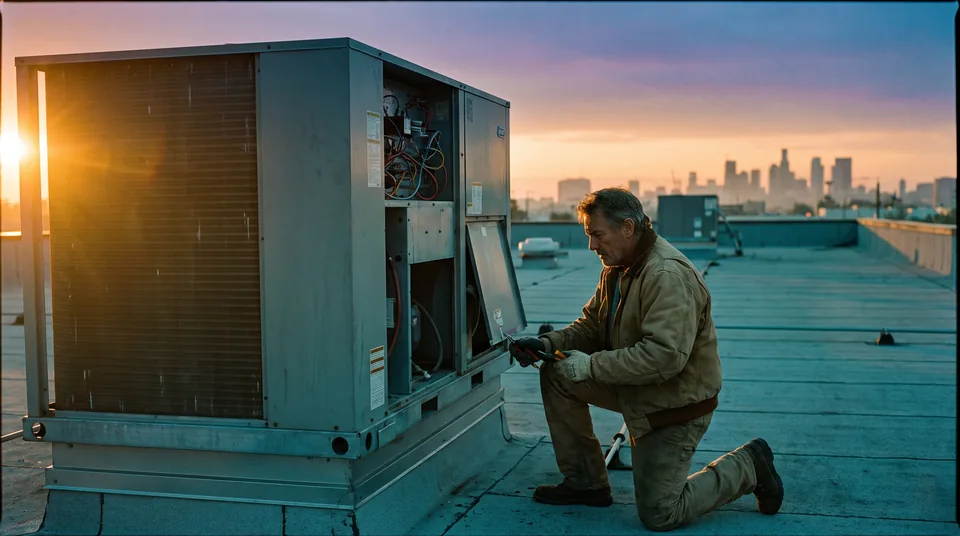
Clean narration still needs something to look at
Audiate fixes what the narrator said. It cannot show the warehouse, the technician on site or the customer holding the product that the narration talks about. Course teams usually fill that gap with stock footage that does not match their product, or with a slide.
VideoMake renders that missing shot from a written prompt or a still photo, as a 4 to 12 second clip in 16:9 or 9:16. You download the MP4 and drop it onto the Camtasia timeline under the narration you just cleaned up in Audiate. Plans start at $49 a month, and a clip costs 1 credit per second of 720p video.
To be clear about the limits: VideoMake does not record or edit voiceover, transcribe audio, write captions or replace Audiate. More examples of cutaways for lessons are on the AI b-roll generator page, or you can try a prompt in the video generator on our homepage.
Questions people ask about TechSmith Audiate pricing
How much does Audiate cost?
+
Audiate costs $199.99 per user per year as a standalone subscription in the US TechSmith store, before sales tax. The price is the same from 1 to 99 seats online, so 10 seats cost $1,999.90. Audiate also comes inside Camtasia Essentials ($179.88), Create ($249) and Pro ($599), with more Audiate features on each higher plan.
Is TechSmith Audiate free?
+
No. Full Audiate is a paid yearly subscription, with a trial download. TechSmith's help center says a core set (transcription, text based editing, English hesitation removal and audio effects) works for anyone on Camtasia Editor 2025.0.3 or later. Script generation, AI voiceover, translation and dubbing need Camtasia Create, Camtasia Pro or standalone Audiate.
Does Audiate come with Camtasia?
+
Yes, on the individual plans. Camtasia Essentials, Create and Pro each list Camtasia Audiate as an included product, with features tied to the plan level. The Camtasia Business license lists only Camtasia Editor and Snagit. Business users get the core included features, and teams buy standalone Audiate at $199.99 per user for the rest.
Can I buy Audiate by itself?
+
Yes. TechSmith sells Audiate as a standalone subscription, and you do not need Camtasia to buy or use it. The store positions it for business buyers: $199.99 per user per year, all Audiate features and multi seat management, and it pairs with an existing Camtasia Business license. A single person usually gets more for less on a Camtasia plan.
Is Audiate a monthly or yearly subscription?
+
Yearly only. TechSmith's Audiate FAQ says Audiate is available as an annual subscription, and the store bills every Audiate and Camtasia plan once a year. There is no monthly plan and no one time purchase. Some review sites still quote a monthly price, but the US TechSmith store does not offer one.
Can I cancel Audiate and get a refund?
+
Within 14 days of purchase you can request a full refund online. After that, cancelling in your TechSmith account stops the next renewal, access continues to the end of the paid year, and TechSmith gives no full or partial refund for the months left. Export projects as WAV files before the subscription lapses.
Is there a discount for buying several Audiate seats?
+
Not in the online store. Standalone Audiate stays at $199.99 per user from 1 to 99 seats, which is why 10 seats cost exactly $1,999.90. TechSmith says bulk pricing for business subscriptions is set up by its sales team, so ask for a written quote before you commit to 10 or more seats.
Can I install Audiate on two computers?
+
Yes. TechSmith allows Audiate on two computers as long as you sign in with your own subscription and are signed in to only one copy at a time. That covers a narrator with a studio desktop and a laptop for travel. It does not let two people share one seat, so every editor needs a license.
Can Audiate create video footage?
+
No. Audiate edits recorded narration and video by editing the transcript, Create and Pro add AI voiceover, and Pro adds stock avatars. None of it renders a new scene you never filmed. When a course needs a real world cutaway, a generator such as VideoMake renders a 4 to 12 second clip from a prompt or a photo.
Narration sorted in Audiate and the lesson still needs a shot?
Describe the scene or upload a product photo and get a 4 to 12 second clip in 16:9 or 9:16, cleared for commercial use, ready to sit under your voiceover.